![Type=Horizontal, Strapline=No, Inverted=No, Colour=Default.png]](https://www.zstaffing.com.au/hs-fs/hubfs/Type=Horizontal%2c%20Strapline=No%2c%20Inverted=No%2c%20Colour=Default.png?height=50&name=Type=Horizontal%2c%20Strapline=No%2c%20Inverted=No%2c%20Colour=Default.png)
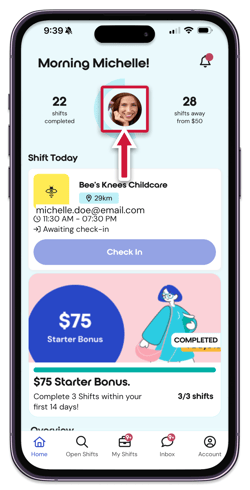
To update your profile photo, go to the home screen and tap on your current profile photo. This will prompt you to either take a new photo with your camera or choose one from your camera roll.
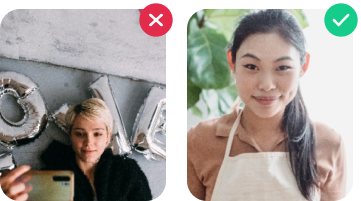
A good photo has the following:
- Well lit
- Shows your face clearly
- Don't forget to smile!